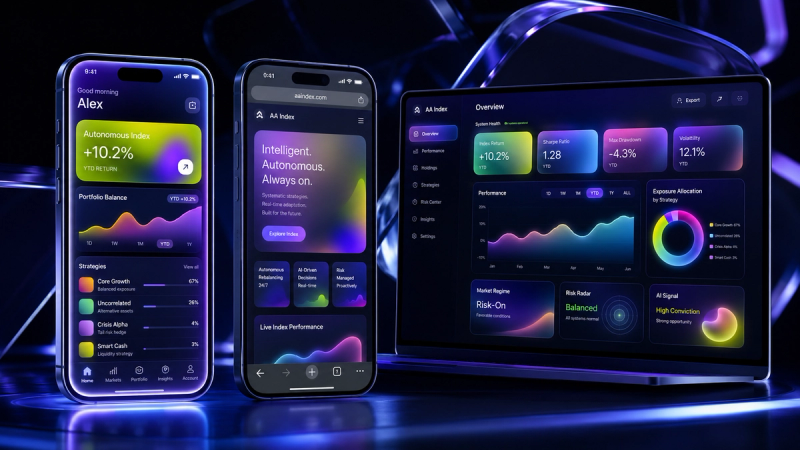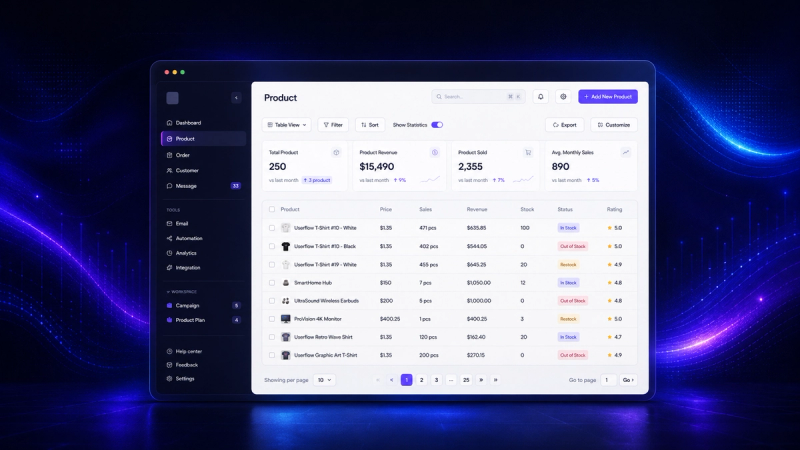
"I want an app." It's one of the most common requests we get, and almost every time the first question we ask back is: what kind of app, and why? Because "app" means very different things, with very different costs and timelines. And often, what you actually need isn't the mobile app you were picturing. Let's clear up, in plain terms, what you can build, when each option is worth it, and what it costs.
01.What "an app" actually means
The word covers several things:
- A native app: the kind you install from the App Store or Google Play, built specifically for iPhone or Android.
- A web app: runs in the browser, like a site, but behaves like a program: a dashboard, an account, data. Nothing to install.
- A PWA (progressive web app): a web app that can be "installed" on your phone's home screen and works partly offline. A hybrid.
- A SaaS app: a software product used by many clients, usually on a subscription. Can be web, mobile, or both.
The difference between them isn't a technical detail. It changes what you pay, how long you wait, and who you reach.
02.A web app or an ordinary website?
A common confusion: the difference between a website and a web app. A presentation website tells you a story and convinces you, it's a storefront. A web app does a job: it handles bookings, orders, clients, data, accounts. If you need people to do something, not just read something, you're talking about an app, even if it lives in the browser. Many businesses start with a site and discover, at some point, that they need the part that does the work: a portal, an admin panel, an internal tool. That's where apps begin.
03.Native app or web app?
This is the decision that matters most, and the one most people skip. In short:
- A native app looks and runs best on the phone, has access to everything (camera, notifications, sensors), and lives in the App Store. But you build it, in practice, twice (iPhone and Android), it goes through store approval, and it costs significantly more.
- A web app is built once and runs on anything: phone, tablet, laptop, with no installation and no app store. It's cheaper, faster to launch, and easier to update.
For most businesses, especially at the start, a web app or a PWA does the job at a fraction of the cost.
04.When you genuinely need a native app
There are cases where native is worth every extra euro:
- You need heavy performance or intensive graphics (games, photo or video editing).
- You rely heavily on the phone's hardware: advanced camera, Bluetooth, sensors, offline maps.
- You need to work fully offline, reliably.
- App Store presence is part of the model, people look for you there.
- You send push notifications often and they're essential to what you do.
If that's you, yes, build native. If not, you're probably paying for something you don't need.
05.Why a web app is often the smarter choice
For a business that wants a tool, a portal, a dashboard, or a simple product, the web app wins almost every time:
- One codebase for all devices, instead of two or three.
- No app store: you launch when you want, update instantly, no approvals.
- Cheaper and faster to build and maintain.
- It works on the phone anyway, through a simple link, and as a PWA it goes on the home screen.
- You own it: the code and data are yours, no rent on someone else's platform.
That's also what we build most often: software around your process, not around ready-made templates. We wrote about the "custom versus platform" logic for websites too, in custom website or template.
06.How much an app costs to build
There's no single price, it depends on what you build and how complex it is. For orientation, in the regional market:
- A simple web app (an internal tool, a portal, a dashboard): from a few thousand euros.
- A complex web app or a SaaS with accounts, payments, and roles: tens of thousands, depending on features.
- A native app, or two (iPhone plus Android): usually the most expensive, because it's more specialized work.
The real figure comes on a quote, after we understand what you're trying to solve. We wrote about what actually goes into a serious build in what goes into a five-figure website, and the logic applies to apps too.
07.How long it takes
Like the price, it depends on the goal. But one principle always holds: you don't build everything at once. You start with an MVP, the minimum version that solves the main problem, launch it, see how it's used, then grow. That way you see results in weeks or a few months, not in a year, and you don't pay for months on features no one may use.
08.Start with an MVP
MVP stands for "minimum viable product." The idea is simple: instead of dreaming up the complete app with fifty features, you build the core that brings value first, put it in real people's hands, and learn from what they do. It's cheaper, faster, and far safer than betting everything on a guess. Almost any good product you know started small.
09.How to choose what to build
A few questions that clear up the decision:
- Who uses it, and from what? If people are at a desk, on a laptop, a web app is obvious. If they're on the move, mobile matters more.
- Does it need hardware or offline? If yes, you lean native. If no, web.
- Is it an internal tool or a product to sell? Internal tools are almost always web.
- How fast do you want to launch? Web and an MVP mean faster.
- How much do you want to own? On custom code, it's all yours, no lock-in.
- How often does it change? If you update often, web means instant changes; native means going through the app store again.
An example: a clinic wants patients to book online and see their history. It sounds like a "mobile app," but it's really a web app: patients open it from a link, on any phone, without installing it from the App Store. The same logic for a shop that wants an orders panel, or a company that wants to escape ten Excel files. Almost always, the right answer is simpler and cheaper than "a mobile app." And if, a year from now, a native version genuinely makes sense, you start from what you've already built, not from zero.
10.Common mistakes
What we see most often:
- Building native when web would have been enough. You pay double for something you don't need.
- Wanting everything up front. Without an MVP, you spend a lot before you know if it works.
- Skipping the process. Without discovery and clear stages, you end up with something that doesn't fit.
- Choosing a platform that holds you captive. Long term, you pay rent and own nothing.
11.How the process looks
Whatever we build, the process is roughly the same. First discovery: we understand the problem, who uses the app, and what it has to do. Then we define the MVP, the core worth launching first. We build in stages, so you see progress early and can adjust, instead of waiting months in the dark. At the end, we launch, and it stays yours: the code, the data, the control. No surprises, no hidden rent, no features you didn't ask for. Good software disappears into your work, it doesn't add one more headache.
12.The GoodGlyph take
We build software around your process: web apps, dashboards, portals, simple CRMs, internal tools. Most of the time, that's a web app, which already works on every phone. When you genuinely need a native mobile app or cross-platform, we do that too, and we can take an existing web app to mobile. We work in stages, start with an MVP, and it stays yours: the code, the data, the control. Tell us what you're trying to solve through our custom apps service and we'll propose the right option, not the most expensive one.
13.Closing
"I want an app" is a good start to a conversation, but the question that saves you money is "what problem am I trying to solve?" From there, what to build follows, from a simple web app to a full native one. And most of the time, the right solution is closer and more affordable than it seems.
Frequently asked questions
For most businesses, web or PWA: cheaper, faster, runs on anything. Native only when you need hardware, offline, or the App Store.