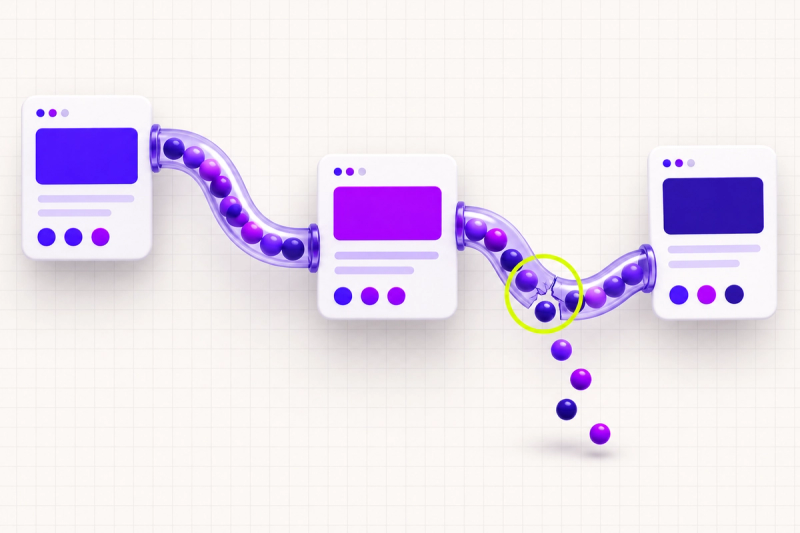
At market prices, a typical presentation website costs somewhere between 100 and 300 euros a year if you only keep it alive: domain, hosting, security certificate, and email on your own domain. If you also want it to work well, with updates applied, backups that actually restore, and someone who answers when something breaks, add maintenance, and the realistic total lands between 500 and 1,500 euros a year. An online store or anything with serious functionality clears that bar easily, because every line item weighs more.
We covered the build price in how much a presentation website costs; that one gets paid once. This bill arrives every year, whoever built your site and whatever it runs on. It is worth knowing line by line, because most owners first meet it at renewal time, after they have signed.
01.What is the yearly bill actually made of?
Six lines cover almost any website. Here is each one in plain words.
- The domain. Your site's name, rented year after year from a registrar. Roughly 10 to 20 euros a year for the common extensions; we wrote a separate guide to domain extensions on the differences. The condition that matters: registered to your company, with the invoices coming to you.
- Hosting. The server your site lives on, paid monthly or yearly. From a few euros a month for shared hosting to tens or hundreds for managed servers. It gets its own section below, because the spread is widest here.
- The SSL certificate. The padlock in the address bar, encrypting the traffic between visitor and site. Serious providers include it for free. Billed separately and expensively, it is a fair thing to question.
- Email on your domain. Addresses like office@yourcompany.com. Dedicated services charge a few euros per mailbox per month. Sometimes it comes bundled with hosting, with limits on space and deliverability.
- Licenses, plugins, platform. Paid themes, booking or form modules, the platform subscription if the site sits on a subscription builder. From zero to a few hundred euros a year, depending on how many bought parts the site carries inside it.
- Maintenance. The upkeep itself: updates, backups, security, small fixes. As a plan, from a few tens of euros a month for a presentation site; hourly, only when something comes up. Most of the rest of this article is about this line, because it is the least understood one.
02.How much does hosting really cost?
Hosting is a computer that runs around the clock and serves your site to anyone who asks for it. Its price follows one logic: how much of the worry the provider takes on, and how much capacity is reserved just for you.
- Shared hosting. A few euros a month. Hundreds of sites share one server, and for a presentation site with normal traffic that is usually enough.
- VPS or dedicated server. Tens to hundreds of euros a month. Capacity reserved for you, suited to high traffic or applications. It ships with the responsibility of administering it, which costs extra, in money or in time.
- Managed hosting. Tens of euros a month. The provider handles server updates, infrastructure backups and tuning, and you are left with the site itself.
The practical rule: hosting costs grow healthily only with traffic and complexity. A five-page site on a plan of hundreds of euros a month deserves a written explanation from whoever sold it.
03.Which costs are fixed, which grow, and which are avoidable?
The yearly bill splits honestly into three groups.
Fixed and boring. Domain, certificate, basic hosting, email. Every site pays them, the amounts are small and predictable, and the only real concern is that they sit in your name. Boring is exactly what you want here.
Growing with the business. More traffic calls for more serious hosting. More employees mean more mailboxes. A store pays transaction fees and extra modules. When the bill grows for these reasons, it grows because the site is being used: that is a healthy bill.
Existing only because something was built carelessly. Ten paid plugins doing the job of one, a theme its author abandoned that now needs replacing, undocumented code where every intervention takes twice as long. These lines get paid year after year, and they only disappear after a cleanup done once, properly.
Platform rent is its own case. Subscription builders charge tens of euros a month and bundle hosting, certificate and updates: one bill, zero technical worries, a fair trade for many small sites. The other side of the trade: you pay for as long as you exist, and the foundation stays with the platform. The five-year math, including the point where rent overtakes building, is worked out in custom website vs template.
04.What does website maintenance actually include?
Four things, essentially, and each of the four has a verifiable result.
- Updates with a check afterward. The platform, theme and plugins ship new versions, many carrying security fixes. The real work is the check that follows: someone confirms the site still looks and behaves the same.
- Backups that get tested. Automatic, stored somewhere other than the site's own server, and restored as a drill from time to time. An untested backup is a hope with a more serious name.
- Monitoring and security. Someone learns the site is down before your clients do. Plus scans, firewall rules, and certificates renewed ahead of their deadline.
- Included hours for small jobs. The form that stopped sending, a text change, a new photo, a holiday banner. Serious plans include a set number of hours per month for exactly this kind of request.
As market pricing: plans for presentation sites start at a few tens of euros a month and climb toward hundreds for stores and applications. The "I'll pay hourly when it breaks" route looks cheaper, and stays cheaper right up to the first incident that lands on a weekend.
05.What happens when nobody does maintenance?
Nothing, for a while. That is the deceptive part: an unmaintained site looks identical to a maintained one, for months.
Meanwhile, updates stack up. Each one postponed on its own is trivial; all of them together become a version jump nobody attempts with a light heart. Forms break without any alarm: the classic scenario is a contact form that dies in a March update and gets discovered in June, along with every inquiry lost in between. The backup stays an assumption: the first day you need it is the first day you find out whether it exists. And a site running old versions becomes an easier target with every month; plenty of hacked sites spend months hosting spam and redirects without the owner ever knowing.
Across the sites we have taken over after years of neglect, the repair bill has usually exceeded what maintenance would have cost over the whole period. Postponing pays the same bill, later and with interest.
06.Why does the bill grow in year two?
Year one is the year of introductory prices. Year two is the year of real ones.
- Renewal at full price. Hosting and domains are often sold at a steep first-year discount, and renewal arrives at list price, sometimes double or triple. Standard practice, written in the offer, rarely read. Ask for the renewal price before you buy.
- The plugin that went paid. The free module holding up one of the site's functions moves to a subscription, changes its terms, or dies. Replacing it costs money; migrating costs time.
- The developer who vanished. The freelancer who built the site has a new job, a new time zone or a new life, and the credentials were with him. Recovering a site out of someone else's accounts is a project of its own.
- The first real problem. Year one runs on the momentum of a fresh build: everything is new and compatible. Year two brings the first version conflicts, the first things that genuinely need fixing.
None of the four is a tragedy if you know about it from day one. All four hurt when they arrive as a surprise.
07.What can you do yourself, and where does it stop?
The administrative half is yours, and it is worth more than it looks.
- Keep a list of subscriptions. What you pay, to whom, how much, and when it expires. A ten-row list prevents most of the surprises in the previous section.
- Keep the access with you. Domain, hosting, platform, email: accounts in your company's name, passwords in a password manager, providers added as collaborators.
- Update the content. Text, photos, prices, opening hours: any modern platform gives you a panel for this, nowhere near the code.
- Test the form monthly. Send yourself a test message. Two minutes a month, and you are the first to know something broke instead of the last.
- Glance at the backups. The hosting panel shows when the last copy ran. If the date is a month old, you just learned something important for free.
The technical layer is the other half: updates that can break the site, security incidents, speed, code. On a subscription builder, the platform covers most of that layer by itself. On a CMS with plugins or on custom code, it takes a person who does this constantly, because this is exactly where things snap.
08.How do you read a maintenance offer?
Maintenance offers are hard to compare because they sell big words. Four questions bring them to the same denominator.
- What do I get, in concrete nouns? "Monitoring" and "security" say little. Look for: updates with a check after each one, daily or weekly backups with a restore test, a monthly report of what was done.
- How fast does someone respond? When the site is down, the gap between "same day" and "within 72 hours" is the gap between an incident and a lost week. Get the response time in writing.
- What gets billed separately? Included hours have a limit, and they should. Ask for examples: does a photo swap fit in the plan? A new form? A Saturday emergency?
- Whose name is on the accounts? Domain and hosting stay with your company; the provider gets access. A good maintenance contract can end at any time without the site being held hostage.
A provider who answers all four plainly is, as a rule, a provider you can work with.
09.The GoodGlyph take
Treat the website like any other company subscription: you know what it costs per year, what you get for the money, and who answers when something breaks. Concretely: domain and hosting in your company's name, fixed costs chosen boringly, growth costs accepted calmly, and the careless-build costs cut once and properly. For the technical layer, our maintenance service covers exactly that: updates with a check, tested backups, monitoring, and included hours for the small jobs.
And if you want a clear picture of where you stand, run the exercise we start with ourselves: gather every site-related invoice from the last twelve months in one place and hold it against the list in this article. The lines you cannot explain are exactly the starting point: either they are expensive for no reason, or they cover a gap you did not know you had.
10.Closing
An unmaintained website breaks without telling anyone: forms go silent, versions age, the backup stays an assumption. The yearly bill is the price of keeping all of that boring. And in infrastructure, boring is a compliment.
Frequently asked questions
As a plan, it starts at a few tens of euros a month for a presentation site and rises for online stores or high-traffic sites. Paying by the hour exists too, for one-off jobs, but it turns expensive at the first serious incident.